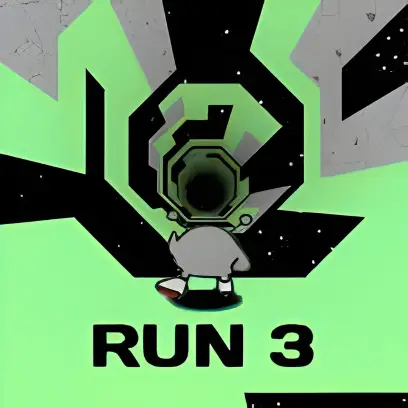
Run 3 is a space running game where you guide a small alien through floating tunnels filled with gaps and unstable tiles. As you run, gravity can shift when you move onto the walls, turning them into a new floor so you can continue along a different side of the tunnel.
Missing a jump sends your character drifting into space, so every movement must be timed carefully. Some tiles collapse after stepping on them, while icy surfaces increase your speed and require earlier jumps.
How Run 3 Works
Spacebar / Up Arrow – Jump
A / Left Arrow – Move left
D / Right Arrow – Move right
Use the on-screen controls to move and jump.
Holding the jump button creates longer jumps, while short taps help with precise movements.
Travel through hundreds of connected levels across the galaxy. Each tunnel introduces new layouts and obstacles, and you can revisit earlier paths to practice difficult sections.
This endless mode focuses on survival and collecting Power Cells. Each run generates new tunnel layouts, making it useful for practicing and improving your reaction speed.
Optional challenges also reward additional Power Cells for completing levels in different ways.
Run 3 includes 9 playable characters, each with different abilities that affect movement and strategy.
|
Character |
Unlock Method |
Description |
|
Runner |
Default |
Balanced movement, ideal for learning the game. |
|
Skater |
Finish Level 10 |
Faster speed and longer jumps but harder to control. |
|
Lizard |
Finish Level 40 |
Slower movement with higher jumps for large gaps. |
|
Bunny |
Earn 8 achievements |
Constant hopping with high speed and jump height. |
|
Gentleman |
2,000 Power Cells |
Collects nearby Power Cells automatically in Infinite Mode. |
|
Duplicator |
6,000 Power Cells |
Creates copies that act as extra platforms. |
|
Child |
Complete low-power area |
Very light and can run on fragile tiles safely. |
|
Student |
10,000 Power Cells |
Can flip gravity in mid-air. |
|
Angel |
12,000 Power Cells |
Performs an air dash and glides downward. |
Choosing the right character can make certain levels much easier.
Practice in Infinite Mode – Endless tunnels help you learn how different surfaces affect your jumps.
Run 3 includes different modes that offer varied challenges. Explore Mode features structured levels with increasing difficulty, while Infinite Mode provides endless running with randomly generated tunnels.
The galaxy map shows your progress as you travel through different tunnels and levels. It helps you navigate the game world while unlocking new paths and challenges.
The game includes several playable characters, each with unique abilities. Some characters jump higher, move faster, or glide longer, giving players different strategies for difficult sections.
As you progress, you can use collected points to unlock new characters and helpful upgrades. Some characters become available after completing specific levels, adding variety to your runs.
Run 3 was developed by Joseph Cloutier and released in 2014 as a browser-based platform game. Its rotating tunnel mechanics and unique character abilities helped it become one of the most popular space running games.
Improve by timing your jumps carefully, watching upcoming platforms, and practicing difficult sections in Infinite Mode.
When you run onto a wall, gravity rotates, turning that surface into the new floor so you can continue moving through the tunnel.
Explore Mode features structured levels with progression, while Infinite Mode is an endless run focused on survival and practice.
Yes. Each character has unique abilities that can help you handle certain levels or obstacles more easily.
You can play Run 3 for free directly in your browser on classroom6x.online without downloading or installing anything.
Run 3 was developed by Joseph Cloutier.
Yes. Run 3 can be played on both mobile devices and desktop computers through a web browser.
Yes. You can usually play Run 3 unblocked on classroom6x.online, depending on your network restrictions.
No. Run 3 is a single-player game, but you can still challenge friends by comparing progress and high scores. EI