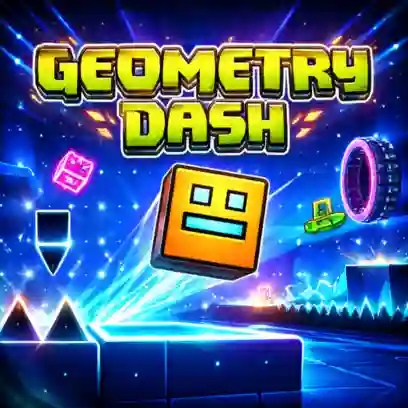
Geometry Dash is a rhythm-based platform game where players guide a moving icon through dangerous levels filled with spikes, portals, and traps. The gameplay combines fast reactions with music-based timing, so every jump must match the rhythm of the level.
The controls are simple, but mastering the levels requires precise timing. A single mistake can send you back to the beginning, making each successful run feel rewarding.
In Geometry Dash, your icon moves forward automatically through obstacle-filled stages. Your goal is to jump at the correct moment to avoid hazards and reach the end of the level.
As you progress through levels, your icon can change into different forms, each with its own movement style:
Cube – Runs forward and jumps over obstacles
Ship – Flies upward while holding the button and descends when released
Ball – Switches gravity to move between surfaces
UFO – Moves with short jumps through the air
Wave – Travels in a zigzag motion
Robot – Performs higher jumps depending on how long the button is held
Spider – Instantly teleports between surfaces
Swing – Moves along curved paths for smoother direction changes
Levels in Geometry Dash are grouped by difficulty:
Easy – 1–2 stars
Normal – 3–4 stars
Hard – 5–6 stars
Harder – 7–9 stars
Insane – 10–11 stars
Demon – 14–15 stars
Higher difficulties introduce faster speeds, more complex patterns, and tougher obstacles.
Normal Mode requires you to complete the level without any checkpoints. If you crash into an obstacle, the level restarts from the beginning.
Practice Mode allows you to place checkpoints during a level. This helps you learn difficult sections before attempting a full run in Normal Mode.
Daily Levels are community-created stages selected each day. Their difficulty affects the rewards you receive. Completing the Daily Level for the first time also grants a bonus treasure chest. A new level appears every 24 hours.
Weekly Demon levels provide a tougher challenge each week. These stages range from Easy Demon to Hard Demon difficulty and offer higher rewards for skilled players.
Community Level Features
User Levels are stages created by players using the built-in level editor. They vary widely in design, music, and difficulty. Players can explore these levels, rate them, suggest star difficulty, and compete on leaderboards.
Map Packs group several user-created levels with similar difficulty ratings. They allow players to progress through stages that match their skill level.
Gauntlets contain five user-created levels that must be completed in order. The difficulty gradually increases as you move through each stage.
Collectibles act as both achievements and in-game currency. Players earn items like Stars and Secret Coins by completing levels. These collectibles track progress, unlock new icons and colors, and sometimes reveal hidden game content.
Jump – Press Space, W, Up Arrow, Ctrl, or Click the Mouse
Pause – Press P
Toggle Effects (Lag) – Press L to turn special effects on or off
Restart – Click the Green Flag
⚠️ Tip: Avoid touching spikes or obstacles. If you hit them, the level restarts.
You can play Geometry Dash for free directly in your browser on classroom6x.online without downloading or installing anything.
Geometry Dash was created by Robert Topala.
Yes. Geometry Dash can be played on both mobile devices and desktop computers through a web browser.
Yes. You can usually play Geometry Dash unblocked on classroom6x.online.