








Popular Games
View more ›





























Classroom 6x Games
Play the best Unblocked Games Online directly in your browser.
Hot games
View more ›











































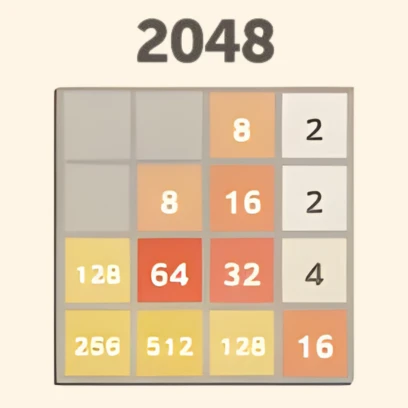


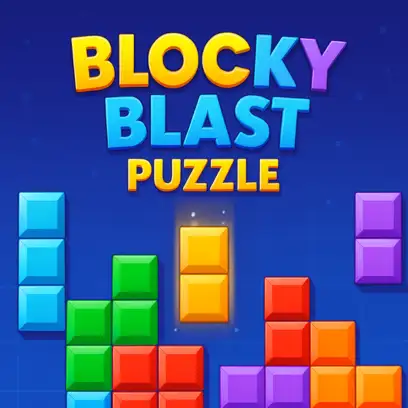
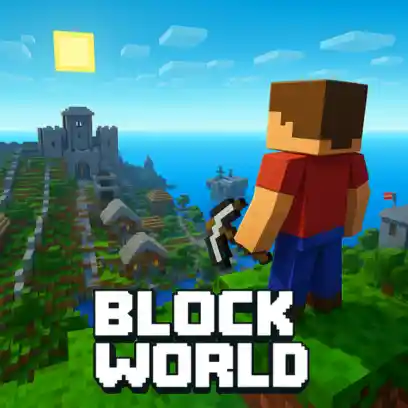
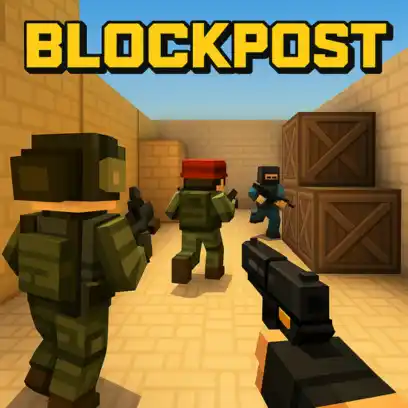
Classroom 6x
Looking for games you can play at school or work without extra steps? Classroom 6x makes it simple to open your browser, choose a game, and start playing instantly. No downloads or setup required, and it runs smoothly even on Chromebooks. Classroom 6x is an online platform built for quick access to browser-based games. It allows players to start playing instantly without downloads, installations, or complicated setups. All games run on modern HTML5 technology, ensuring smooth performance across different devices, including school computers and Chromebooks.
The platform focuses on simplicity and speed, offering a collection of unblocked games that load quickly and run efficiently. This makes it a practical option for short play sessions and casual gaming directly in your browser.
Why Classroom 6x Stands Out
- Instant access – Open a game and start playing immediately with no setup required.
- Simple and secure – Everything runs in your browser, keeping the experience smooth and easy to manage.
- Optimized for Chromebooks – Lightweight games are designed to run well on classroom devices.
- Wide variety of games – Choose from different genres like action, racing, puzzles, and rhythm.
- Great for short breaks – Quick sessions make it easy to relax and reset without long commitments.
- No downloads needed – Since everything is online, your device stays clean and clutter-free.
Top 10 Classroom 6x Unblocked Games
- 1v1.LOL – Fast-paced shooter where you build and fight in real time. Quick reflexes and smart positioning decide each match.
- Eaglercraft – A sandbox experience similar to Minecraft, playable مباشرة in your browser with building and survival elements.
- BitLife – A life simulator where every decision affects your character’s future, from career choices to personal relationships.
- Slope – Control a rolling ball on a fast-moving neon track, avoiding obstacles as speed keeps increasing.
- Snow Rider 3D – Slide down snowy paths, dodge obstacles, and collect rewards in an endless run.
- Tomb of the Mask – Move through tight mazes filled with traps, requiring fast reactions and precise timing.
- Drift Hunters – Practice drifting with realistic physics, earn points, and unlock new cars.
- Moto X3M – Race through obstacle-filled tracks with jumps, flips, and time-based challenges.
- Geometry Dash Lite – Jump in sync with music while avoiding obstacles in increasingly difficult levels.
- Monkey Mart – Run a small store, manage resources, and grow your business step by step.
Playing on Chromebooks
Chromebooks don’t support traditional game installs, which makes browser-based games the better option. Classroom 6x games on classroom6x.online runs smoothly in the browser, with responsive controls and quick loading times—ideal for short sessions between tasks.
- Open your browser – Launch Chrome or any modern browser
- Visit the platform – Go to classroom6x.online and choose a game
- Start instantly – Click play and begin without setup
- Use fullscreen – Enable fullscreen mode for a cleaner view
- Adjust controls if needed – Tweak sensitivity for better handling, especially on a trackpad
How to Start Playing
- Go to the homepage – Open classroom6x.online in your browser
- Browse categories – Explore genres like action, puzzle, racing, or platform games
- Select a game – Open a title (for example, Snow Rider 3D)
- Press play – Start the game immediately
- Fine-tune settings – Adjust controls if movement feels off
If a game doesn’t suit you, switch quickly and try another—no setup or waiting required.
Helpful Tips for Strict Networks
- Reload the page – Refreshing can fix loading issues caused by cached files.
- Switch to another game – If one page doesn’t load, try a different category like puzzle or arcade.
- Close extra tabs – Free up memory to improve performance on low-end devices.
- Check browser permissions – Allow sound or other required settings if a game isn’t working properly.
- Follow school guidelines – If access is restricted, don’t try to bypass it. Stick to the rules or ask a teacher.
How Students Use Classroom 6x for Breaks
Students often use Classroom 6x for short breaks between study sessions. Quick gameplay can help clear the mind, reduce stress, and improve focus before returning to work.
How It Works
Access is simple: open the platform in your browser, pick a game, and start playing instantly. There’s no setup or waiting time, so sessions stay short and convenient.
Why It Helps
- Quick Refresh – Short play sessions help reset attention
- Easy Access – No installation or setup needed
- Flexible Use – Works well during small breaks in the day
- Lightweight Games – Runs smoothly without slowing down devices
This makes it a practical option for quick downtime without interrupting the overall study routine.
Safety and Reliability
Classroom 6x on classroom6x.online is built to be safe and easy to use. Since all games run directly in the browser, nothing is installed on your device. This helps keep your system clean, secure, and free from unwanted files or software. The platform is also optimized for speed and stability, allowing games to load quickly and run smoothly without technical interruptions.
Ownership and Development
Classroom 6x is owned and operated by Sarkar Games and developed by AHR Developer. This setup ensures the platform is regularly maintained and updated, with a focus on performance, security, and overall user experience.
Is Classroom 6x Safe for Kids & Students?
Classroom 6x on classroom6x.online is relatively safe from a technical point of view:
- No downloads → low risk of malware
- Runs in browser → doesn’t install anything on the device
- Lightweight games → fewer performance or security issues
But that’s only half the story.
FAQs
What are Classroom 6x Unblocked Games 6x?
Classroom 6x on classroom6x.online is a free online platform where you can play browser-based games instantly without downloads or setup.
Are Classroom 6x games free?
Yes, all games available on classroom6x.online are free to play, making it easy to jump in anytime.
Can I play Classroom 6x games on a Chromebook?
Yes, the platform works smoothly on Chromebooks since everything runs directly in the browser.
Do Classroom 6x games need downloads or apps?
No, there’s no need to install anything. All games run online without extra software.
Is it safe to play Classroom 6x games at school?
The games are lightweight and browser-friendly, but access depends on your school’s network rules; follow those instead of trying to bypass restrictions.